
Domain Allow/Deny
Whitelist and blacklist individual domains with exact or regex matching
The Domains page lets you create fine-grained rules for individual domains. Use it to override blocklist decisions — whitelist a domain that’s being blocked by a list, or blacklist a specific domain without subscribing to an entire blocklist.
The Domains Page
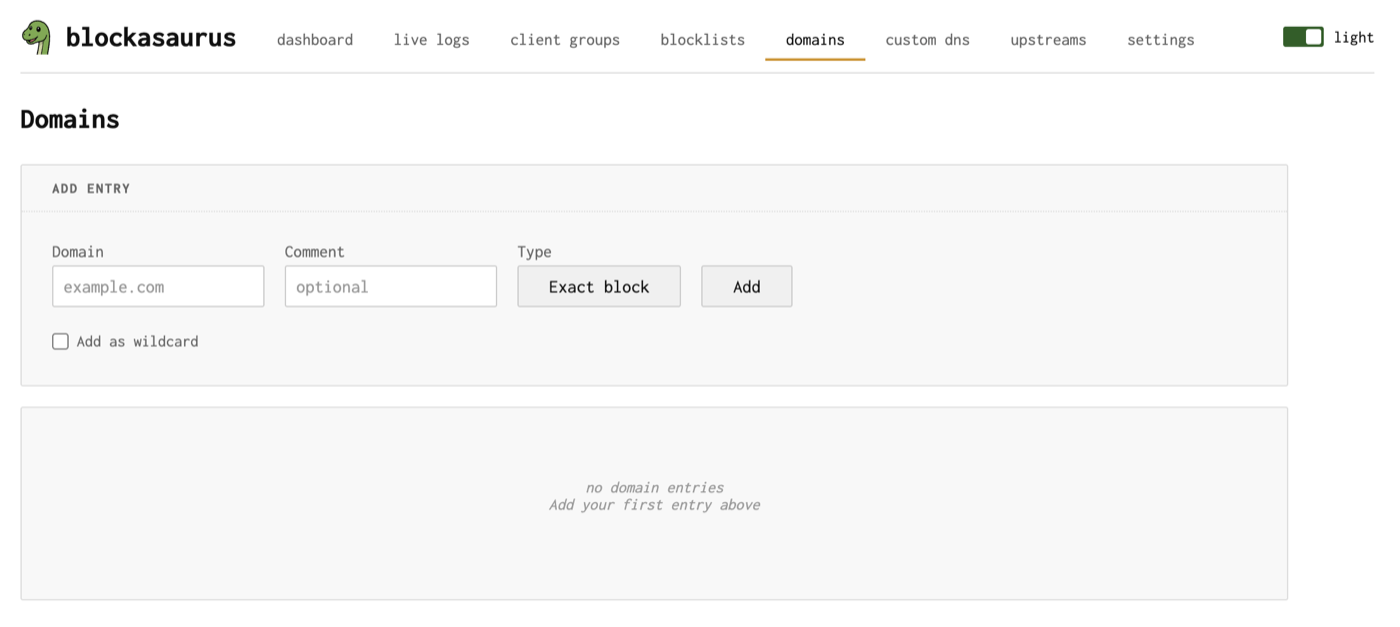
Entry Types
Four types of domain entries are available:
| Type | Match | Action | Use Case |
|---|---|---|---|
| Exact Deny | Exact domain name | Block | Block a specific domain |
| Regex Deny | Regex pattern | Block | Block domains matching a pattern |
| Exact Allow | Exact domain name | Whitelist | Override a blocklist for one domain |
| Regex Allow | Regex pattern | Whitelist | Override blocklist for a pattern |
Allow rules take precedence over deny rules. If a domain matches both an allow entry and a blocklist/deny entry, the domain is allowed. This lets you use broad blocklists and selectively whitelist domains that are incorrectly blocked.
Adding a Domain Entry
Click “Add Entry” at the top of the page.
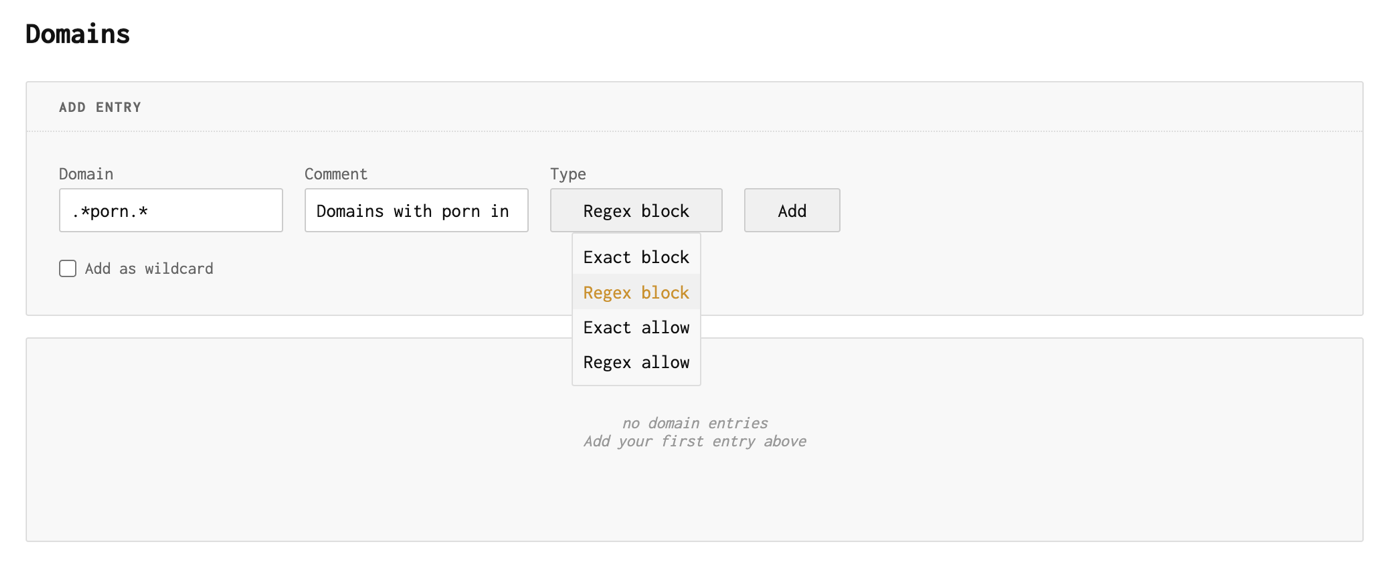
Fields
| Field | Description |
|---|---|
| Domain / RegEx | The domain name (for exact entries) or regex pattern (for regex entries) |
| Type | One of: Exact Deny, Regex Deny, Exact Allow, Regex Allow |
| Comment | Optional note explaining why this rule exists |
| Wildcard | Checkbox that auto-converts to a regex matching the domain and all subdomains |
The Wildcard Checkbox
Checking Wildcard converts your entry into a regex that matches the domain itself and all of its subdomains. For example:
| You Enter | Wildcard Converts To | Matches |
|---|---|---|
example.com |
(\.|^)example\.com$ |
example.com, www.example.com, ads.example.com |
tracking.co |
(\.|^)tracking\.co$ |
tracking.co, pixel.tracking.co |
Use the Wildcard checkbox when you want to block or allow an entire domain and all its subdomains. It automatically switches the type to the regex variant (e.g., Exact Deny becomes Regex Deny).
Writing Regex Patterns
For regex entries, blockasaurus uses Go’s regexp syntax
(RE2). Some useful patterns:
| Pattern | Matches |
|---|---|
(\.|^)ads\.example\.com$ |
ads.example.com and subdomains |
.*\.doubleclick\.net$ |
All subdomains of doubleclick.net |
^track(ing|er)\..* |
Domains starting with tracking. or tracker. |
.*\.(ru|cn)$ |
All .ru and .cn domains |
Assigning to Client Groups
Like blocklists, domain entries can be assigned to specific client groups. Click the “Groups” button on any entry to choose which groups it applies to.
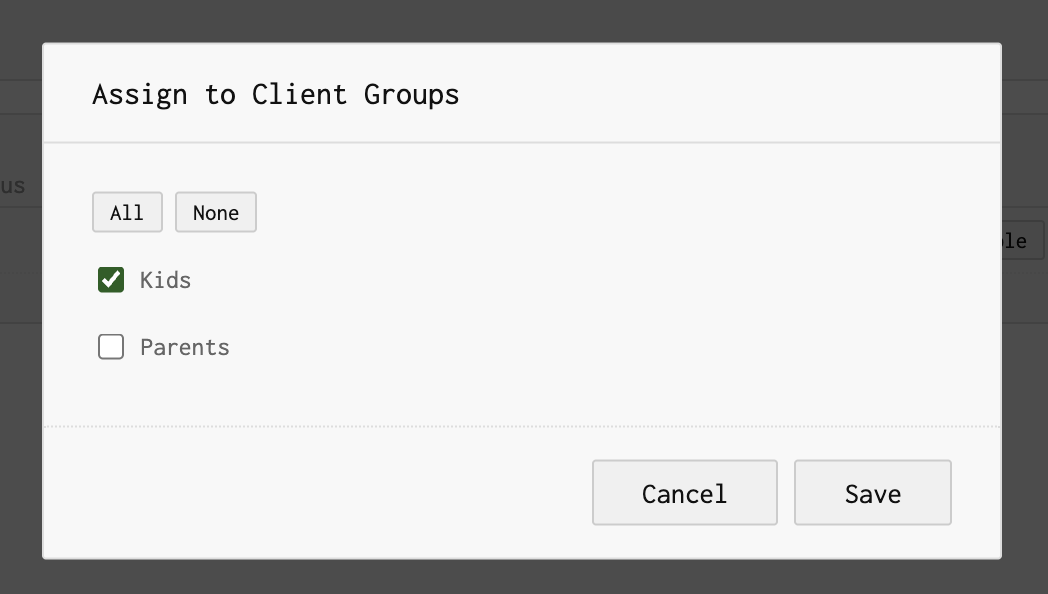
If a domain entry is not assigned to any group, it applies to all groups.
Sorting and Managing
Click column headers to sort the table by domain, type, or status. Each entry has toggle, edit, and delete buttons for quick management.
Common Patterns
Whitelist a False Positive
If a blocklist blocks a domain you need (e.g., a CDN used by a legitimate service):
- Add the domain as an Exact Allow entry.
- Optionally add a comment: “Required for $SERVICE”.
- Assign it to the relevant group(s) or leave unassigned for all groups.
Block an Entire Ad Network
- Add a Regex Deny entry.
- Enter a pattern like
.*\.adnetwork\.com$. - Assign to the desired groups.