
Beacons
Position reports, objects, trackers, and custom beacons
Beacons are periodic APRS transmissions that announce your station’s position, capabilities, or other information. Graywolf supports multiple beacon types, each with independent scheduling and channel assignment.
The beacon’s callsign defaults to your station callsign — you’ll see (inherited) next to it. You can override per beacon if you want a different SSID for, say, a tracker vs. a digipeater beacon. Click Beacon Now on any beacon card to fire it immediately without waiting for the next scheduled slot.
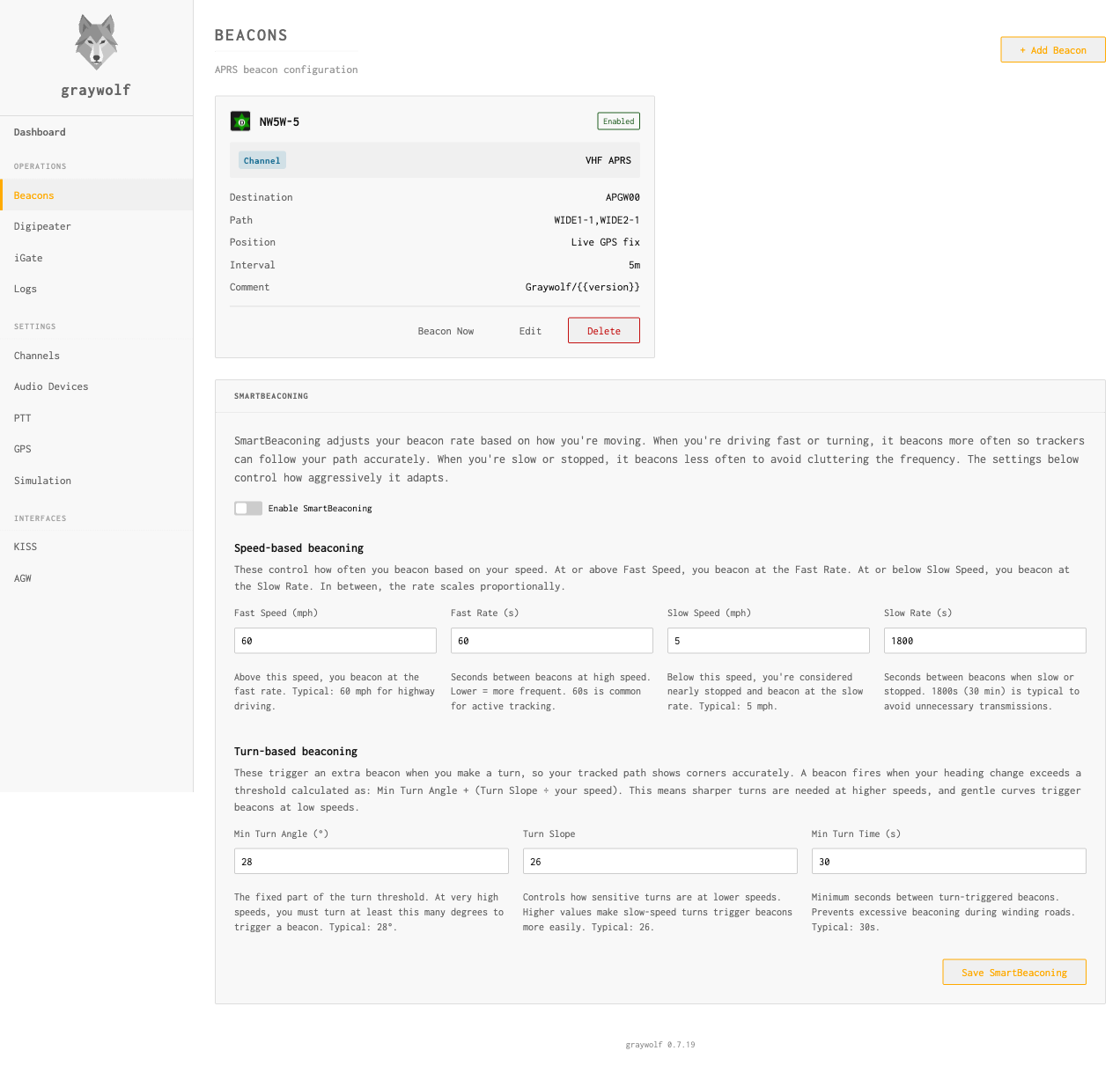
Beacon Types
| Type | Description |
|---|---|
position |
Standard position report with symbol and optional comment. The most common beacon type for fixed stations. |
object |
Named APRS object (repeater, event, landmark). Appears on maps with its own callsign-like identifier. |
tracker |
GPS-driven position beacon with SmartBeacon rate adaptation. For mobile stations. |
custom |
Raw APRS info field. Full control over the transmitted packet content. |
igate |
iGate status beacon. Automatically includes iGate statistics in the comment. |
Common Settings
| Field | Default | Description |
|---|---|---|
channel |
— | Radio channel to transmit on. Not required when Send to is APRS-IS only. |
callsign |
— | Source callsign (e.g., N0CALL-5) |
destination |
APGRWO |
Destination address (identifies software) |
path |
WIDE1-1 |
Digipeater path |
every_seconds |
1800 |
Beacon interval (30 minutes) |
delay_seconds |
0 |
Initial delay before first beacon |
slot_seconds |
-1 |
Fixed slot (seconds past the hour, −1 = unset) |
send_path |
rf |
Where the beacon is sent — see Where a beacon is sent below |
Where a beacon is sent
Every beacon has a Send to setting that controls where it is transmitted:
| Send to | send_path | What happens |
|---|---|---|
| RF only | rf |
Transmitted over the radio on the selected channel. Other igates may relay it to APRS-IS. |
| RF + APRS-IS | both |
Transmitted over the radio and sent straight to APRS-IS. |
| APRS-IS only (no radio) | is_only |
Sent only to APRS-IS. No radio transmission and no radio channel required. |
APRS-IS-only beaconing (no radio)
You don’t need a radio to put your station on the APRS map. Set a beacon’s Send to to APRS-IS only (no radio) and Graywolf sends it directly to the APRS-IS network over the internet — ideal for a receive-only site, a fixed home station with no transmitter, or anyone who just wants to appear on aprs.fi.
Here’s how the no-radio path works end to end:
- No channel needed. When Send to is APRS-IS only, the radio-channel picker disappears from the beacon form — there is no RF leg to assign a channel to. You can create one of these beacons even when no radio channels exist at all.
- The Beacons page tells you when you have no radio. If no channels are configured, a banner at the top of the page reminds you that you can beacon to APRS-IS only, and links to the Channels page in case you do want to add RF later. New beacons default to APRS-IS only in that situation.
- The iGate is enabled automatically. An APRS-IS-only beacon reaches the network through Graywolf’s iGate connection, so saving one turns the iGate on for you if it wasn’t already. You’ll see a confirmation when this happens.
- Set your station callsign first. The iGate logs in to APRS-IS using your station callsign. Without it the connection can’t come up, so the beacon won’t reach the network until a callsign is set.
APRS-IS-only beacons are injected with a TCPIP* path
rather than an RF digipeater path (WIDE1-1, etc.).
This is the convention APRS-IS expects for self-originated
traffic — servers silently drop self-originated packets that
carry an RF path, so Graywolf sets the right path for you. The
Path field on the beacon only affects RF transmissions.
Position
Position beacons can use a fixed latitude/longitude or pull live coordinates from a GPS receiver:
| Field | Default | Description |
|---|---|---|
use_gps |
false |
Use live GPS position instead of fixed coordinates |
latitude |
— | Fixed latitude (decimal degrees, north positive) |
longitude |
— | Fixed longitude (decimal degrees, east positive) |
alt_ft |
0 |
Altitude in feet |
ambiguity |
0 |
Position ambiguity (0–3, per APRS101 ch. 6) |
compress |
true |
Use 13-byte base-91 compressed position format |
messaging |
false |
Indicate message capability (= vs ! prefix) |
Objects
An object beacon transmits a named item (a repeater, a hospital, an event site) on behalf of someone else. The packet carries both the object name and your station callsign as the transmitting source, so APRS clients like aprs.fi display it as NAME (via YOUR-CALL) — making it clear who is injecting the object onto the network.
Use an object beacon (rather than the Override station
callsign checkbox on a Position beacon) whenever the item
you are beaconing is not your own station. Overriding the callsign
makes the packet look as if that name is a real station on the
air, which other operators have no way to attribute back to you.
| Field | Default | Description |
|---|---|---|
object_name |
— | 1–9 character object name shown on APRS maps |
latitude |
— | Fixed latitude (decimal degrees, north positive) |
longitude |
— | Fixed longitude (decimal degrees, east positive) |
Object beacons accept the same Position source choice
as Position beacons — either fixed coordinates or the live
GPS fix. Fixed is the common case (the object is somewhere other
than your station), but GPS-sourced object positions are
supported for moving objects that you want to label by name.
Symbols
APRS symbols are selected with a table and symbol code character. On the Edit Beacon dialog, click Choose… next to the Symbol field to pick an icon visually:
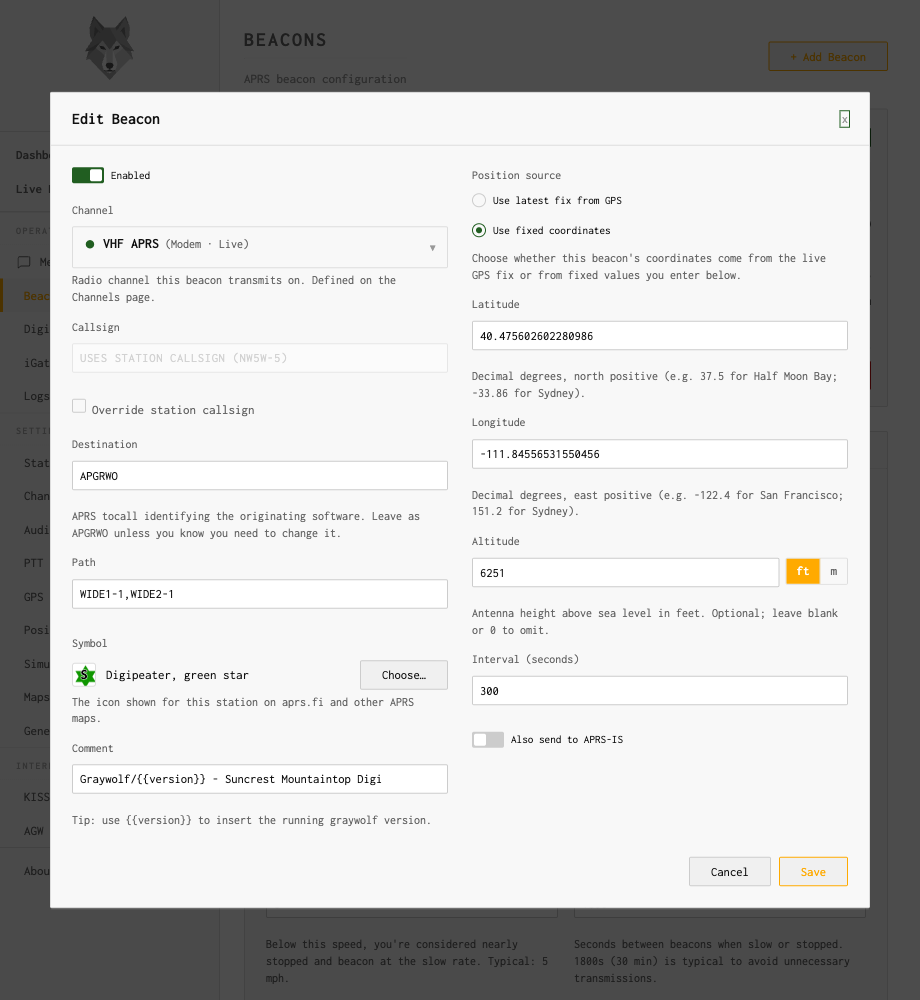
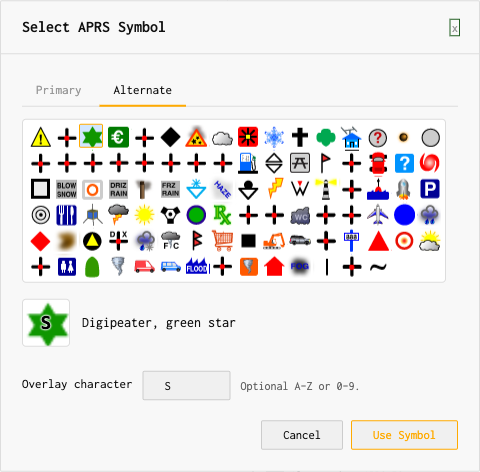
The symbol picker shows both APRS tables (Primary and Alternate). Alternate-table symbols may carry an optional overlay letter or digit (A–Z or 0–9) that is drawn on top of the icon on maps:
S overlay| Field | Default | Description |
|---|---|---|
symbol_table |
/ |
Symbol table: / (primary) or \ (alternate) |
symbol |
— | Symbol code (single character, e.g., - for house) |
overlay |
— | Overlay character for alternate table symbols (A–Z or 0–9) |
Comments
Beacons can include a static comment or dynamically generate one by running a shell command:
comment |
Static comment text appended to the position report |
comment_cmd |
Shell command whose stdout becomes the comment (e.g., weather data) |
Drop {{version}} anywhere in your comment and
graywolf substitutes the running version at send time. The
default beacon comment is Graywolf/{{version}}, so
your beacon always advertises which release is on the air
without you having to remember to update it.
PHG and Repeater Info
Power-Height-Gain-Directivity (PHG) fields describe your station’s RF capabilities per APRS101 chapter 7:
power | Transmitter power in watts |
height | Antenna height above average terrain (feet) |
gain | Antenna gain in dB |
dir | Antenna directivity (0 = omni) |
freq | Operating frequency (MHz) |
tone | CTCSS tone (Hz) |
freq_offset | Repeater offset (MHz) |
SmartBeacon
SmartBeacon adapts the beacon rate based on speed — faster
movement means more frequent beacons, standing still means fewer.
Enable it on tracker type beacons:
| Field | Default | Description |
|---|---|---|
smart_beacon |
false |
Enable SmartBeacon rate adaptation |
sb_fast_speed |
60 |
Speed (km/h) at which fast rate applies |
sb_fast_rate |
60 |
Beacon interval (seconds) at fast speed |
sb_slow_speed |
5 |
Speed (km/h) at which slow rate applies |
sb_slow_rate |
1800 |
Beacon interval (seconds) when slow/stopped |
sb_turn_angle |
30 |
Turn angle threshold (degrees) for corner pegging |
sb_turn_slope |
255 |
Sensitivity factor for turn detection |
sb_min_turn_time |
5 |
Minimum seconds between turn-triggered beacons |
SmartBeacon requires a GPS source. Configure one on the
GPS page and set use_gps: true
on the beacon.
Immediate Send
Any beacon can be triggered immediately via the API, bypassing the
normal schedule. Use POST /api/beacons/{id}/send or the
Send Now button in the web UI.