
GPS
Configure GPS receivers for position-driven beacons
A GPS receiver provides live position data for tracker beacons and SmartBeacon rate adaptation. Graywolf supports three GPS source types: direct serial NMEA, the gpsd daemon, and a fixed coordinate you enter by hand for a stationary station. On Android, the phone’s own location is used automatically; see Android below.
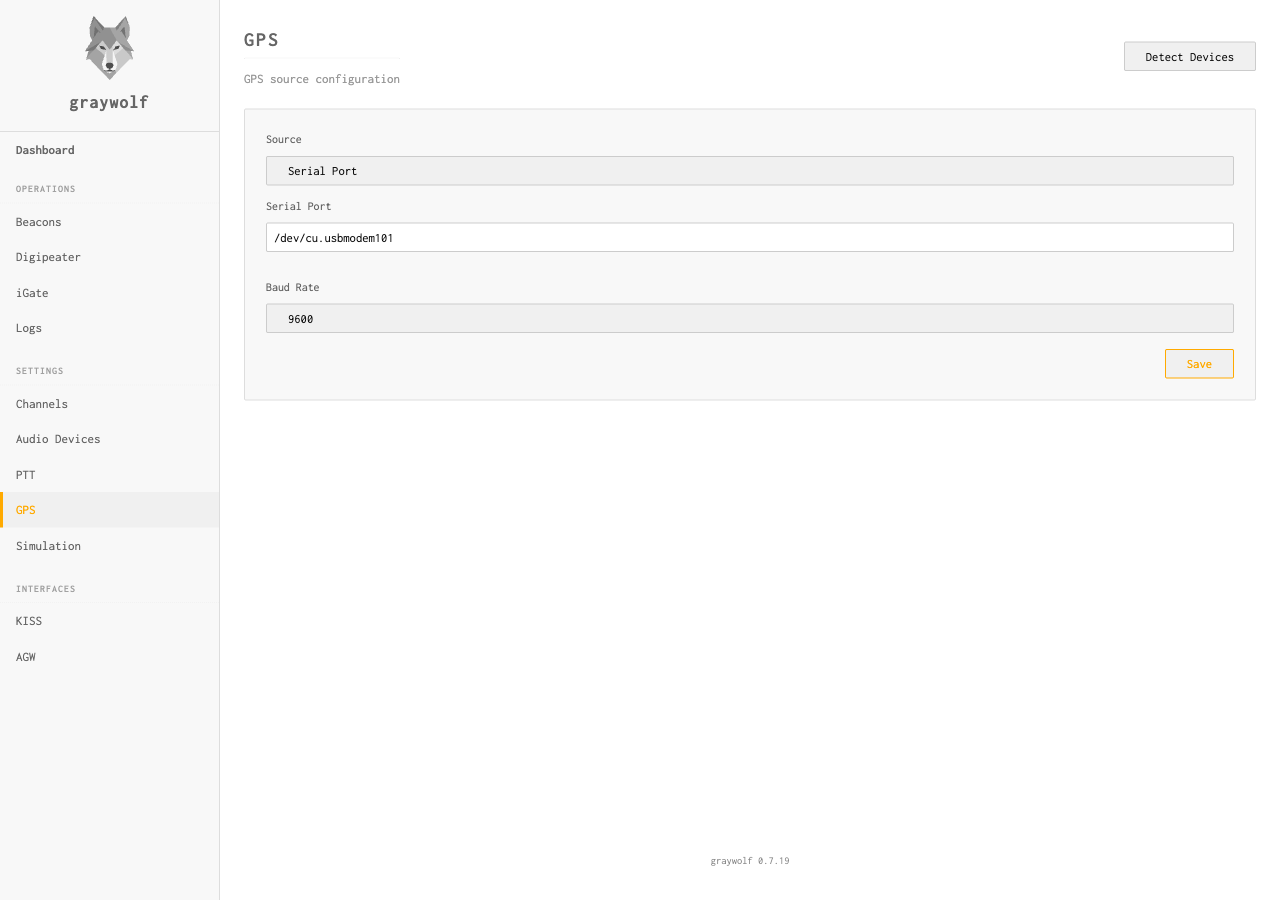
Detect Devices
Click Detect Devices to scan attached serial ports. Many common GPS receivers (u-blox modules, USB-serial GPS pucks) are identified and if present can be configured them with one click. Use + Configure GPS if you’d rather enter device, baud, or gpsd host yourself.
Settings
| Field | Default | Description |
|---|---|---|
source_type |
none |
none, serial, gpsd, or fixed |
There is no separate on/off switch. GPS is active whenever a source is
configured. To turn it off, click Disable on the
configured GPS card; this sets the source back to none.
Serial NMEA
Connect a GPS receiver directly via serial port. Graywolf reads NMEA 0183 sentences and extracts position, speed, and course data.
| Field | Default | Description |
|---|---|---|
device |
— | Serial device path (e.g., /dev/ttyUSB0, /dev/ttyACM0) |
baud_rate |
9600 |
Serial baud rate. Choose from 4800, 9600, 38400, or 115200; most GPS modules use 4800 or 9600. |
The graywolf user needs permission to access the serial device.
The systemd service includes the dialout group for
this purpose. For manual runs, add your user to the group:
sudo usermod -aG dialout $USER
gpsd
gpsd is a GPS service daemon that manages GPS hardware and provides a clean TCP interface. Use this when gpsd is already running on your system or when you need to share a GPS receiver between multiple programs.
| Field | Default | Description |
|---|---|---|
gpsd_host |
localhost |
gpsd server hostname |
gpsd_port |
2947 |
gpsd server port |
gpsd is the recommended approach for Raspberry Pi setups. It
handles device hotplug, PPS timing, and allows multiple clients
to share one GPS receiver. Install it with
sudo apt install gpsd.
Fixed Coordinate
If your station never moves and you don’t have a GPS receiver
attached, choose Fixed Coordinate and enter the
station’s location by hand. The coordinate is published into the
same position cache the live receivers feed, so distance and bearing
to received stations, position beacons using use_gps, and
the station list all use it exactly as they would a live fix.
| Field | Default | Description |
|---|---|---|
fixed_lat |
— | Latitude in decimal degrees, north positive (e.g. 39.7392). Range −90 to 90. |
fixed_lon |
— | Longitude in decimal degrees, east positive (e.g. -104.9903). Range −180 to 180. |
fixed_alt |
0 |
Altitude in metres above mean sea level. Optional; leave blank to omit altitude from beacons. |
Enter coordinates in decimal degrees, not degrees/minutes/seconds. Most mapping tools can copy a decimal-degree pair directly; the live map’s right-click Copy GPS menu gives you one in the correct format.
Position Cache
GPS positions are cached in memory and made available to beacons and
the REST API. When a beacon has use_gps: true, it pulls
the latest cached position at transmission time. If no GPS fix is
available, the beacon is skipped and a warning is written to the log;
it does not fall back to static coordinates. The beacon sends normally
again the next time it is due once a fix is available.
Hot Reload
GPS configuration changes take effect immediately without restarting graywolf. When you update GPS settings through the web UI or API, the GPS receiver is stopped and restarted with the new configuration.
Android
On Android, graywolf uses the phone’s own location services. There is nothing to configure: the serial, gpsd, and fixed-coordinate sources described above do not apply. Position data starts flowing as soon as the phone has a fix.
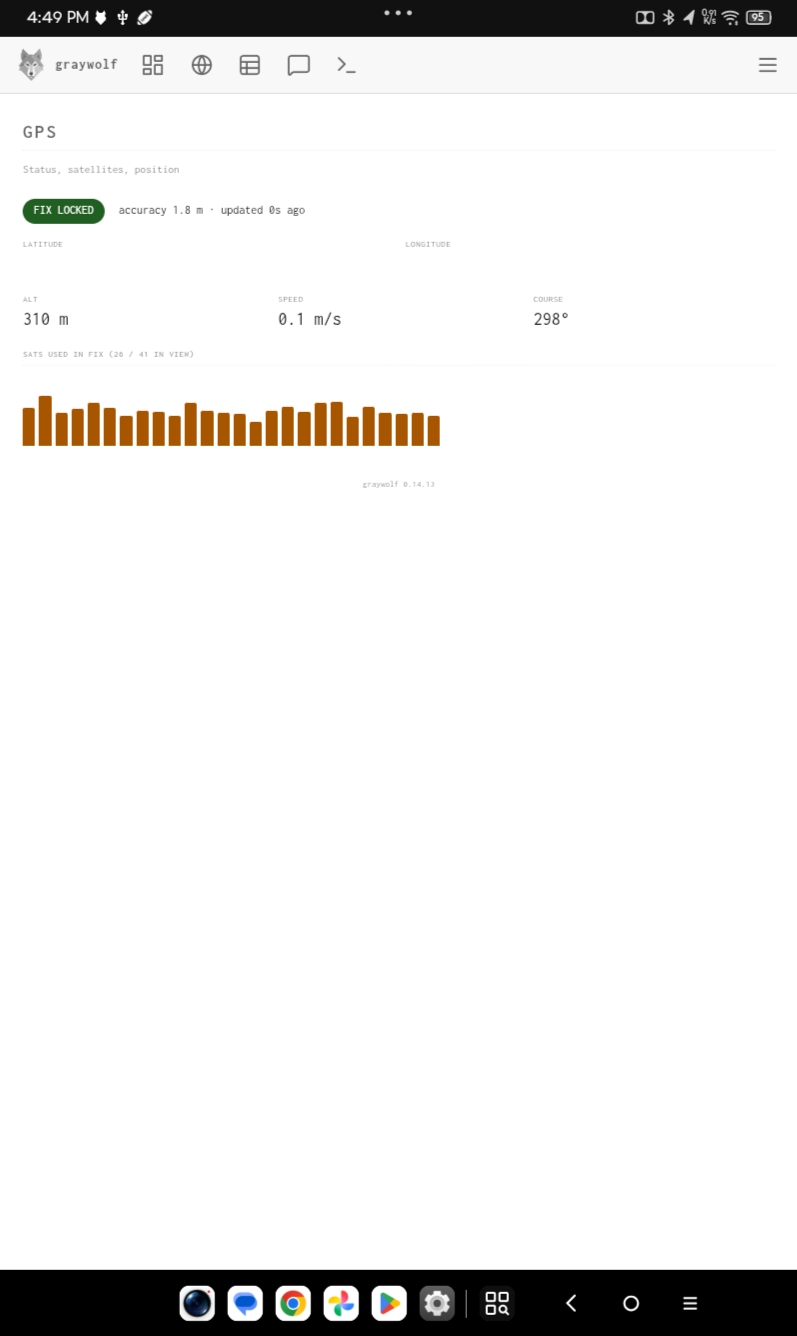
Instead of configuration, the GPS page shows live status:
- Fix status — FIX LOCKED, SEARCHING, or NO FIX, with the accuracy in metres and how long ago the last update arrived.
- Position — latitude and longitude of the current fix.
- Movement — altitude, speed, and course.
- Satellites — how many satellites are used in the fix out of those in view, with one bar per satellite showing its signal strength.
The readouts refresh once a second while the page is visible and pause when the screen is off or the app is in the background.
Indoors or right after launch you will see NO FIX or SEARCHING with dashes in the readouts. That is normal; it clears once the phone can see enough satellites. The fixed-coordinate source is not available on Android.