
KISS TNC
Expose graywolf as a KISS terminal node controller
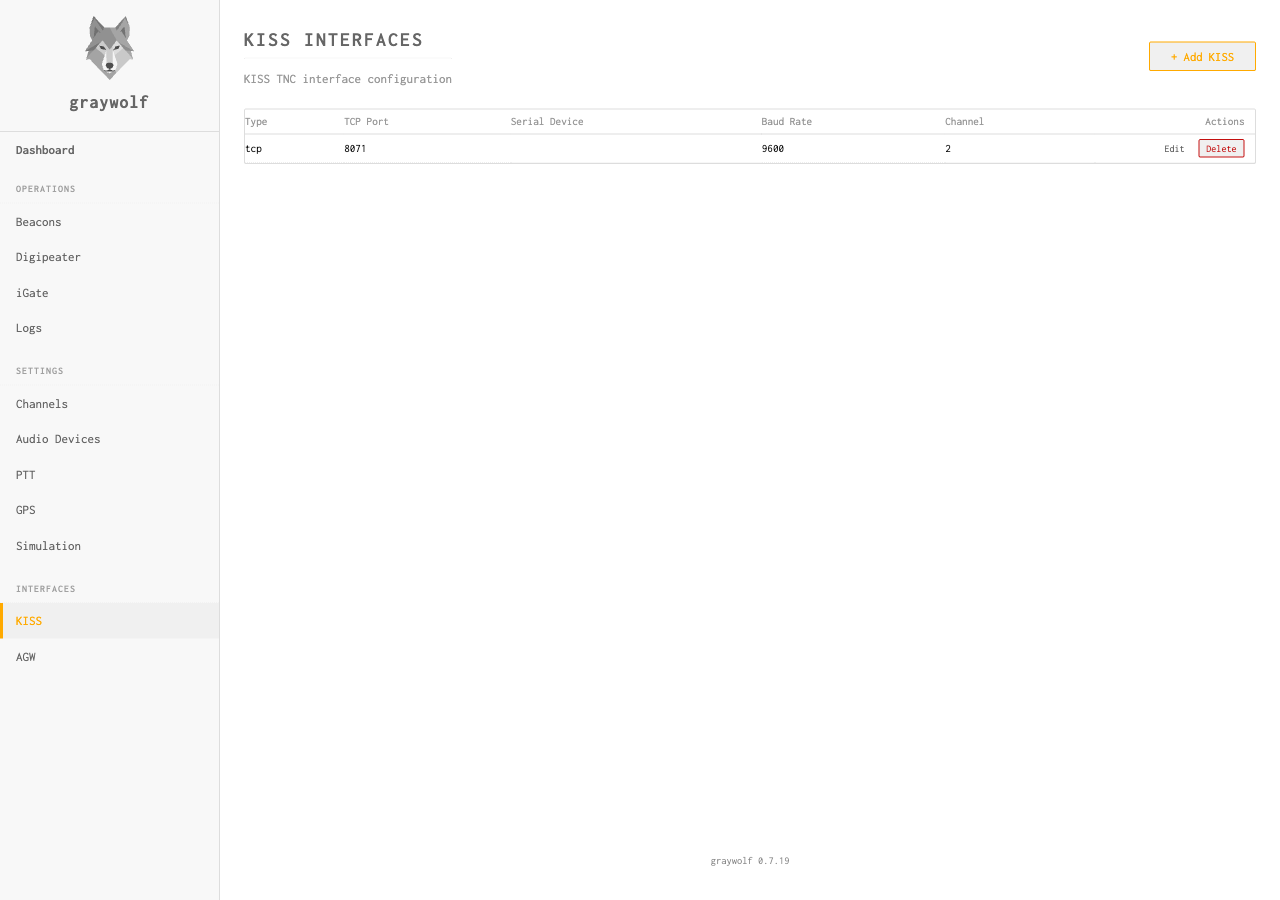
The KISS (Keep It Simple, Stupid) interface lets third-party packet software — such as Xastir, YAAC, pinpoint, or aprx — use graywolf as their TNC — or, in the other direction, lets graywolf drive a hardware TNC or LoRa modem as a radio channel. Graywolf supports multiple simultaneous KISS interfaces over TCP (as a server or a dial-out client), serial, USB serial, and Bluetooth. Which role each interface plays is set by its Mode.
Interface Types
| Type | Description | Use Case |
|---|---|---|
| TCP (server) | Graywolf listens on a TCP port; clients dial in | Most APRS software (Xastir, YAAC, pinpoint, aprx, etc.) |
| TCP Client | Graywolf dials out to a remote KISS server and reconnects automatically | Bridging to a remote TNC, a LoRa modem, or another graywolf. See Remote KISS TNC. |
| Serial | Graywolf opens a serial port and speaks KISS directly with a hardware TNC or radio | Radios with built-in KISS serial (TH-D75, TH-D74), Mobilinkd, Kantronics KPC-3+. See KISS over Serial. |
| USB Serial | Graywolf opens a USB serial connection to a hardware TNC or radio plugged into the tablet over USB. Android tablet build only. | Kenwood TH-D74/D75, Digirig, Mobilinkd, CP210x and CH34x cables. See KISS over USB Serial. |
| Bluetooth | Graywolf opens an RFCOMM (Bluetooth serial) connection to a paired hardware TNC. Android tablet build only. | Mobilinkd TNCs, Kenwood TH-D74/D75 in Bluetooth mode, other Bluetooth-SPP TNCs. See KISS over Bluetooth. |
Mode: Modem vs. TNC
Every KISS interface runs in one of two modes, and picking the wrong one is the single most common KISS setup mistake. The mode does not describe your hardware — it describes who provides the radio link: graywolf’s own software modem, or the device on the other end of the KISS connection.
“Modem” mode does not mean “my device is a modem.” It means graywolf’s built-in software modem supplies the RF for this channel. If the thing you are plugging in is itself a TNC or modem — a hardware TNC, a LoRa modem such as the RPC Electronics LoRa-Pi, a radio with a built-in KISS TNC, or another graywolf — you want TNC mode, not Modem mode.
| Mode | What it means | Choose it when… |
|---|---|---|
| Modem | The peer is an APRS application. Frames it sends are queued for transmission on graywolf’s own radio, and packets graywolf hears on the air are handed back to the peer. This interface rides on top of a channel that has a software modem and an audio device. | You are exposing graywolf as a TNC to APRS software (Xastir, YAAC, pinpoint, aprx, APRSIS32…) that connects to graywolf. |
| TNC (peer) | The peer is the radio link. Received frames are routed to the iGate, digipeater, messages, and map — never auto-retransmitted. The channel is KISS-TNC only (no software modem, no audio device). | The device on the other end does its own modulation and keys its own radio: a hardware TNC, a LoRa modem, a radio with a built-in KISS TNC, or another graywolf. |
In TNC mode, graywolf only receives by default. To let graywolf’s own traffic (beacons, digipeated packets, iGate IS→RF) go out through the device, tick Allow digipeater/beacon/iGate to transmit on this interface in the interface editor. See Transmitting in TNC mode below.
Symptom: TX fails with
txbackend: no backend registered for channel.
The interface connects and receives fine, but nothing you send
(beacons especially) reaches the radio. This is the classic
wrong-mode error: a hardware TNC or modem left in
Modem mode. Modem mode expects a software modem
on the channel to do the transmitting, and a KISS-only device has
none, so no TX backend is ever registered. Switch the interface to
TNC mode, tick the transmit checkbox, and save.
Interface Settings
| Field | Default | Description |
|---|---|---|
name |
— | Display name for this interface |
type |
— | Interface transport: tcp (server),
tcp-client, serial,
usb-serial, or bluetooth. See
Interface Types above. |
mode |
modem( tnc for tcp-client) |
modem or tnc — see
Mode: Modem vs. TNC above. Serial,
USB-serial, and Bluetooth interfaces to a hardware TNC/modem
are almost always tnc. |
allow_tx_from_governor |
false( true for tcp-client) |
UI label: Allow digipeater/beacon/iGate to
transmit on this interface. Only meaningful when
mode=tnc. Off = receive-only; on = graywolf may
transmit its own beacons, digipeated packets, and iGate
IS→RF traffic through the device. |
listen_addr |
— | Listen address for TCP (e.g., 0.0.0.0:6700) |
device |
— | Device path for serial/Bluetooth |
baud_rate |
9600 |
Baud rate for serial interfaces |
channel |
1 |
Default radio channel for this interface |
broadcast |
true |
Fan out received packets to all connected clients |
enabled |
true |
Interface active/inactive |
gate_tx_to_is |
false |
When mode=modem, also forward packets submitted by
connected KISS clients to APRS-IS through your iGate. The iGate
must be enabled; its filter rules (NOGATE / RFONLY / TCPIP)
still apply. Has no effect when mode=tnc. |
Transmitting in TNC Mode
A mode=tnc interface receives by default but does not
transmit graywolf’s own traffic until you opt in. In the
interface editor, tick Allow digipeater/beacon/iGate to
transmit on this interface. With it on, beacons, digipeated
packets, and iGate IS→RF frames are routed out through the KISS
device.
Either graywolf or your TNC can act as the digipeater/iGate — not both. Enabling this while the TNC is also configured for digipeating or iGate mode produces packet loops. Typically you should disable digipeating on the TNC itself and let graywolf be the digi.
TCP Setup
A TCP KISS interface is the most common setup. Configure it to listen
on a port and point your APRS software at host:port
with KISS protocol selected.
Port 6700 is the conventional KISS-over-TCP port used by most APRS software. If your APRS application asks for a “KISS TNC host”, point it at graywolf’s IP and this port.
Multi-Port KISS
The KISS protocol supports multiple “ports” (0–15) within a single connection. Each KISS port maps to a graywolf radio channel. Clients can send and receive on different channels through one TCP connection.
RX Broadcast
When broadcast is enabled, all packets received on the
interface’s channel are forwarded to every connected KISS client.
Disable this if you want a write-only interface where clients can
transmit but don’t receive.